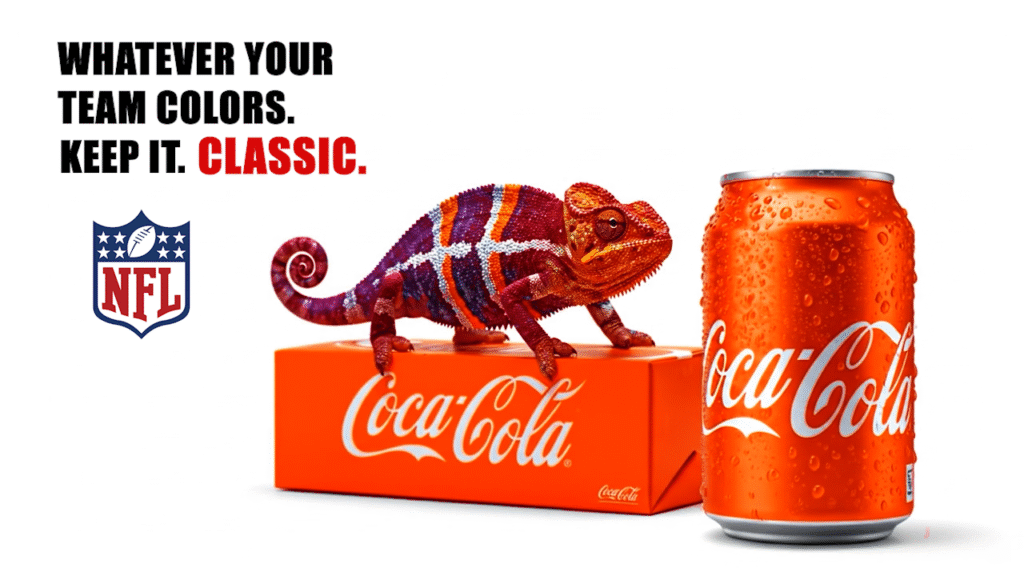
Experimenting With AI: Building the Chameleon Project
Lately, I’ve been experimenting more with AI-assisted design, animation, and video production as a way to expand my creative skill set. One of my recent experiments is a concept I’ve been calling the Chameleon Project.
The idea started with something simple: a chameleon changes its colors depending on its surroundings. What if that idea could be used to represent sports fandom and team colors?
From there, I developed a short concept showing a realistic chameleon transforming into different football-inspired color combinations while interacting with a product in a clean, commercial-style environment.
This project was created purely as a personal creative and AI experiment. It is not affiliated with, endorsed by, or produced for Coca-Cola, the NFL, or any professional sports team.
Starting With the Concept
Before generating anything, I wanted the project to have an actual idea behind it rather than simply creating random AI imagery.
The central message became:
Whatever your colors.
A chameleon was a natural fit because changing color is already part of its identity. Instead of simply placing team colors on an animal, I wanted the colors to feel like they were naturally moving through its scales.
The commercial-style setting gave me another challenge: making an AI-generated concept feel like something that could have been filmed in a studio.
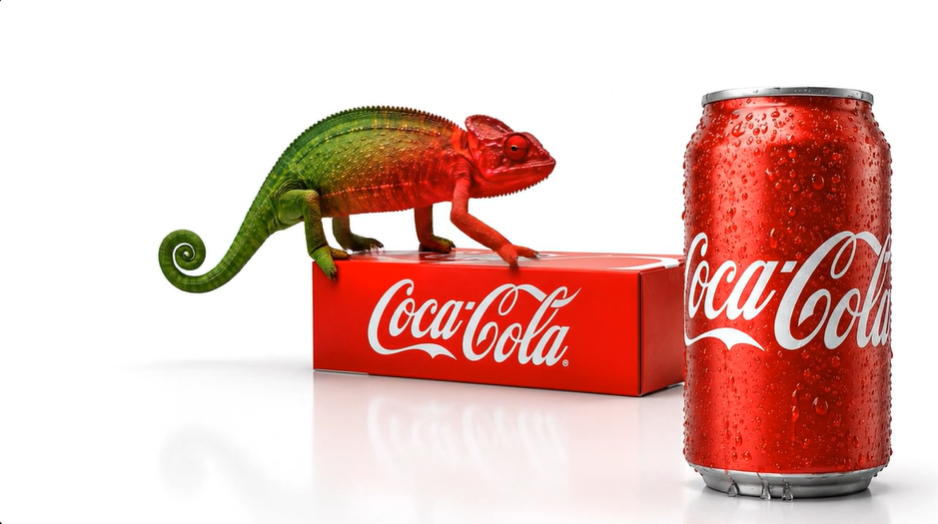
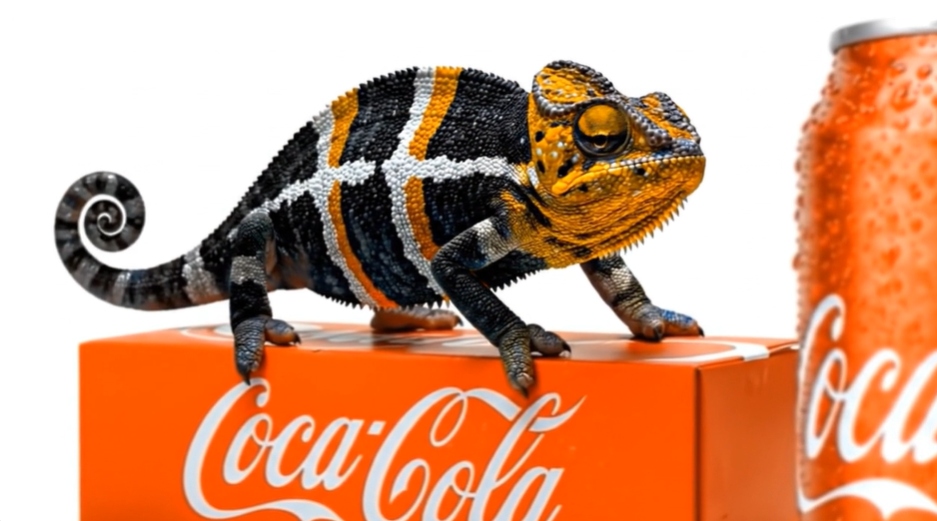
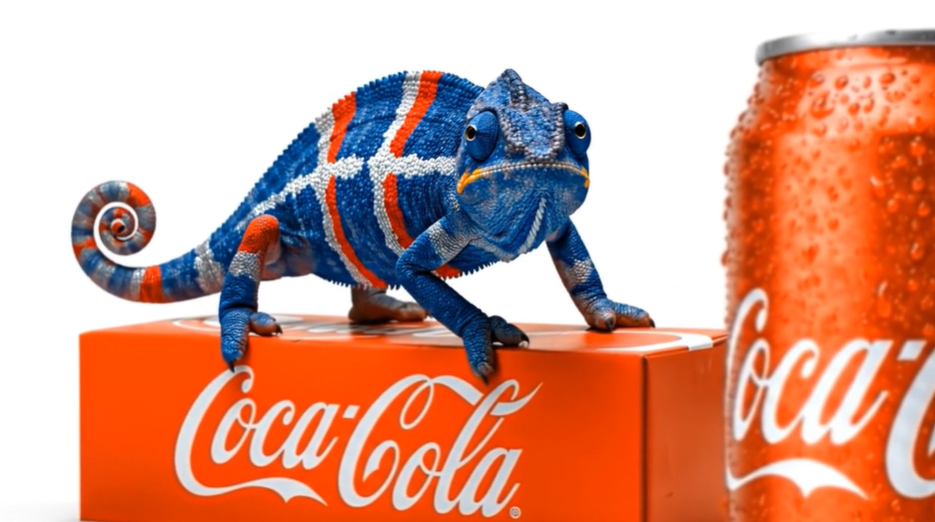
Creating the Visuals With Adobe Firefly
I used Adobe Firefly to explore the initial imagery and establish the visual direction.
Prompt development became an important part of the process. Small changes in wording could dramatically change the results, so I experimented with descriptions involving:
- Chameleon position and movement
- Scale texture and realism
- Camera angle
- Product placement
- Studio lighting
- Shadows and reflections
- Team-inspired color combinations
- White negative space
- Composition for future typography
Rather than asking AI to create everything at once, I found that breaking the idea into specific visual instructions gave me much more control.
Moving From Still Images to Video
Once I had a visual direction, I began experimenting with AI-generated motion.
This was one of the more interesting parts of the project because a still image can look convincing while animation exposes inconsistencies very quickly.
The prompts had to describe not only what the scene looked like, but how it behaved over time.
For example, I experimented with instructions for subtle movements such as breathing, eye movement, small head turns and tail movement. I also worked on having the chameleon’s colors gradually transition through individual scales instead of instantly switching from one color palette to another.
Camera movement was another consideration. Slow zooms and controlled movement helped create more of a polished commercial feel while leaving negative space for typography that could be added later.
Editing in Adobe Premiere Pro
The AI-generated clips were only the raw material.
I brought everything into Adobe Premiere Pro to begin shaping the actual piece. This included:
- Selecting the strongest generated clips
- Trimming and sequencing shots
- Adjusting timing
- Testing transitions
- Working on fades
- Adding music and sound
- Correcting color differences between clips
- Improving the overall pacing and flow
One challenge was getting separate AI-generated clips to feel like they belonged in the same video.
AI can produce a great individual shot, but the lighting, movement, framing or color can change slightly in the next generation. A lot of the traditional editing process is still necessary to bring those pieces together.
Using Photoshop and Traditional Design Skills
I also used Adobe Photoshop for image cleanup, compositing and preparing supporting visual elements.
This is one of the biggest things I’ve learned while experimenting with generative AI: traditional design skills still matter.
Composition, typography, hierarchy, color, masking, retouching and an understanding of branding don’t disappear because AI is involved. If anything, those skills become even more important because someone still needs to decide what looks right and what doesn’t.
AI can generate options quickly. The designer still has to art direct them.
The Tools
The project combined several tools rather than relying on a single AI platform:
Adobe Firefly — AI image generation, visual exploration and experimentation with motion.
Adobe Premiere Pro — Video editing, sequencing, transitions, timing, music, sound and color correction.
Adobe Photoshop — Image editing, cleanup, compositing and preparation of visual assets.
Generative AI prompting — Developing and refining detailed prompts to control composition, camera movement, lighting, animation and color transformations.
Most importantly, I approached AI as another tool within an existing creative workflow rather than as a replacement for that workflow.
What I Learned
The biggest lesson from the Chameleon Project has been that AI generation is only one part of AI-assisted creative production.
Getting a usable result often requires multiple generations, revised prompts and plenty of trial and error. Then the generated material still needs editing, design decisions, timing, sound and polish.
There are also imperfections. Transitions can be smoother. Color consistency can be improved. Motion can occasionally feel unnatural. Those are exactly the reasons I wanted to work on a project like this.
The goal wasn’t perfection on the first attempt.
The goal was to learn.
Where I Want to Take It Next
For future versions, I want to continue improving the transitions between scenes, color correction, sound design, music, pacing and consistency of the chameleon’s appearance.
I’m especially interested in exploring how AI-generated imagery and motion can work alongside Photoshop, Premiere Pro and traditional graphic design to create concepts that would previously have required much larger production resources.
The Chameleon Project started as a fun experiment, but it has also become a useful exercise in understanding where generative AI fits into a professional creative workflow.
AI may be changing the tools available to designers, but the fundamentals remain familiar: start with an idea, experiment, edit, refine and keep improving the final result.